Steam on Android is Workable, Performant, and Brittle.
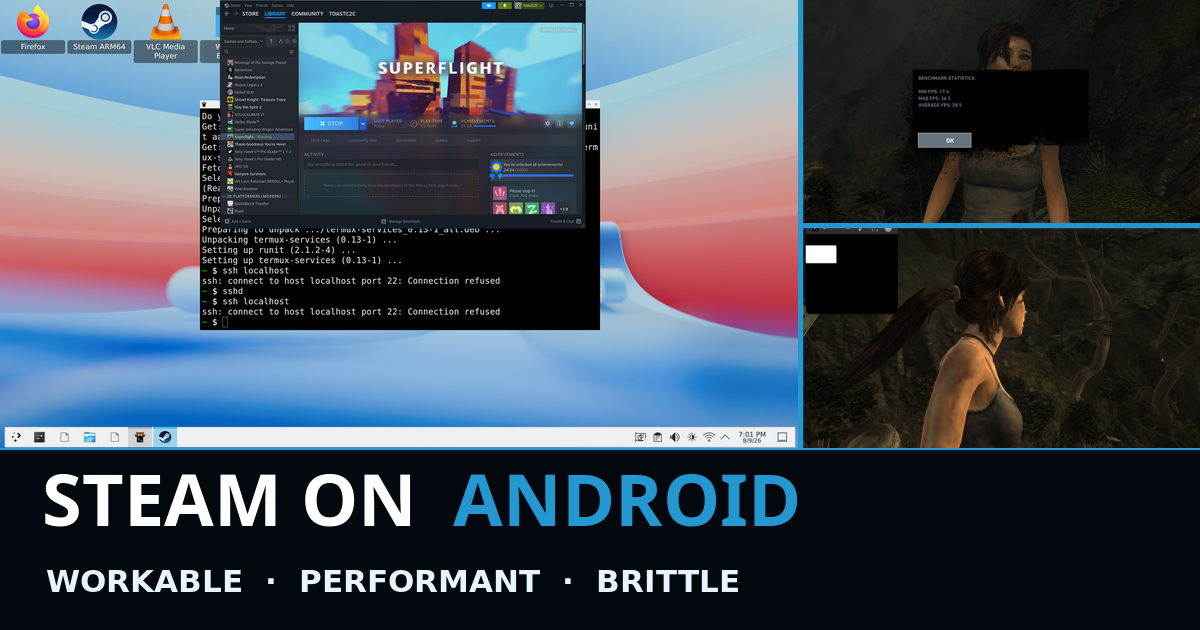
A few weeks ago I wrote about getting the full ARM64 Steam client running on an unrooted Android tablet. At the time it was a proof of concept. Steam opened, authenticated, downloaded games, and launched a few of them through Proton 11 ARM64, FEX, DXVK, and Turnip. That felt like a good start to share.
The good news is that Steam on Android is absolutely workable. It can also be surprisingly performant. The bad news is that the whole stack sits on pillars of sand, slight mismatches between expectations and abilities. Linux versus Android. glibc versus Bionic. One Android UID versus another. Internal F2FS versus an exFAT SD card behind Android’s FUSE layer. X11 versus an Android Surface. A native ARM64 Steam client versus x86 Windows games. Every one of those boundaries can work, often on a per-game basis, then a new game changes expectations and the whole thing becomes brittle again.
This is what I had to do to make it work well, and why I now recommend GameNative for almost everyone who just wants to play games.
The Stack That Worked
The test device is still my unrooted Galaxy Tab S8+, a Snapdragon 8 Gen 1 tablet with an Adreno 730, running stock Android. Fully stock and unrooted.
The working path ended up looking like this:
Android / Samsung kernel -> Termux application sandbox -> shared-UID Termux:X11 -> native ARM64 Steam in a glibc userspace -> software-rendered Chromium for the Steam interface -> Steam Runtime 4 ARM64 -> Proton 11 ARM64 -> FEX for the x86 Windows game -> DXVK -> private Mesa Turnip -> Adreno 730 Steam itself is ARM64 here. FEX enters the picture later, when Proton launches an x86 or x86-64 Windows game. The first half of this project was not about CPU emulation at all. It was about convincing a normal Linux program that Android behaves enough like the Linux system it expects.
Android Has a Linux Kernel, but It Is Not a glibc Linux Desktop
Android’s native C library is Bionic. Conventional Linux Steam expects glibc, conventional paths, conventional process behavior, and a set of old Unix facilities which Android applications do not necessarily get.
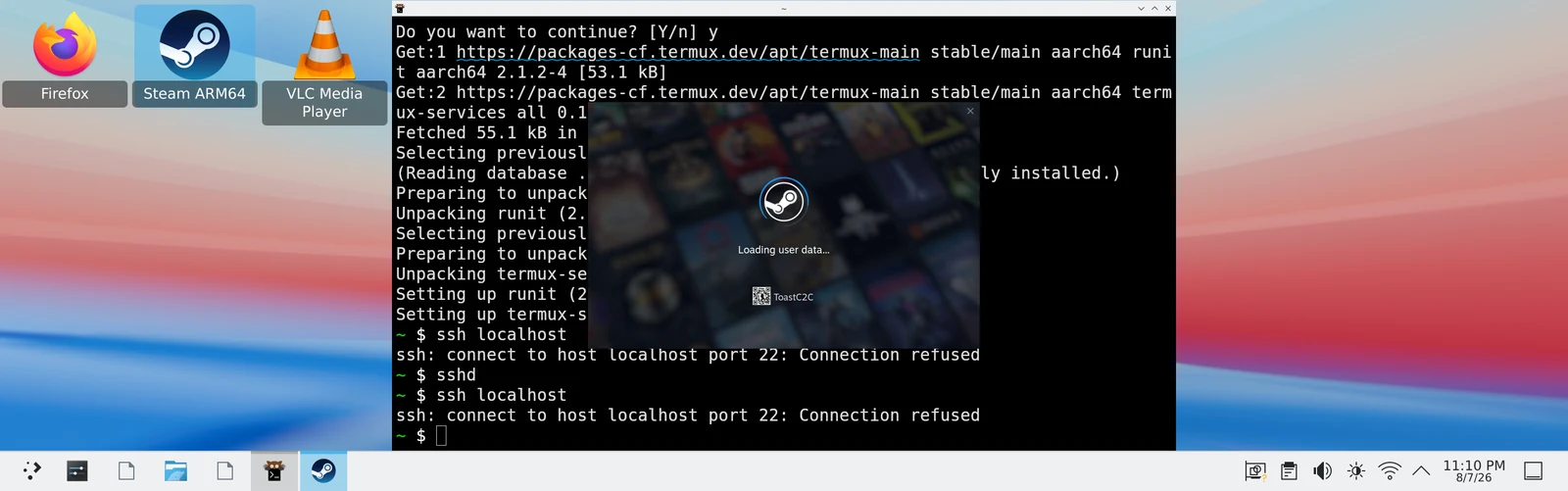
The first working version put Steam inside a Debian PRoot. That gave it the filesystem and glibc layout it wanted, but stock PRoot was not enough. I ended up implementing narrowly scoped patches for:
- robust-list calls blocked by Android’s seccomp policy;
- System V semaphores, including the wakeups Steam expects when another process changes a semaphore;
- Pressure Vessel’s
.l2smetadata, hard-link representation, bind mounts, pivot sequence, and shared/tmpbehavior; - path translation and mountinfo escaping;
- the private
/proc/netroute view Wine uses for Windows networking APIs; and - the traditional Steam SDK paths and ARM64 Runtime/Proton registration which the new client still expected to find.
I had a real, authenticated Steam client and real games. It also meant every interesting filesystem operation passed through a ptrace-based compatibility layer, and it was slow as hell.
That is fine for a shell command. It is much less fine when Steam scans thousands of tiny Runtime and Proton files and takes 10 minutes to load. Had to find another way!
The glibc Wrapper
The metadata benchmark gave me the next target. This was a comparative test, and when compared with native runtime behavior, enumerating the same 5,601 Proton files took 0.129 seconds natively and 4.231 seconds through the production PRoot path. Multiply this by every system and cold boots We’re taking 20x longer than they should due to Proot overhead.
I tried the simplest optimizations first. Removing unnecessary PRoot extensions cut the test to about 2.10 seconds. A guarded fast path for a narrow class of fstatat calls reached about 1.76 seconds. That was a useful 2.4x improvement over the original route, but it was still about 14x slower than native filesystem access.
So I built termux-glibc-compat: a focused compatibility layer for running glibc applications directly inside the Termux application sandbox without sending every syscall through PRoot.
Files, sockets, futexes, graphics, and ordinary process execution stay on native kernel paths. A same-UID Bionic broker supplies the missing System V semaphore operations over an authenticated Unix socket. A patched Termux glibc calls that broker at the stable libc boundary. A small robust-list shim satisfies the userspace contract Steam checks, while being explicit that Android’s kernel still does not know about the synthetic list.
Then came the small, annoying edges which make up a real compatibility layer:
- an execution shim wraps AArch64 Linux children with the selected glibc loader without copying or patching them;
- exact
/bin/shand/usr/bin/shredirection prevents Steam from accidentally executing Android’s Bionic shell as if it were a glibc ELF; - read-only
/proc/netand/proc/statshadows restore the bits Wine and CPU-topology detection need; - Android’s fatal
SIGSYSforuserfaultfdis normalized to theENOSYSfailure Proton already understands; - removable-storage
flockfailures can fall back to record locks for the measured single-client Steam path; and - executable mappings from
noexecstorage can be replaced with byte-identical anonymous mappings when Wine changes page protections.
This moved the authenticated Steam client and its Chromium helpers out of PRoot. The comparable Tomb Raider launch went from 407.236 seconds between the Runtime request and the first game window to 58.256 seconds. 7x speed improvement and usable.
Android Schedules Applications, Not Just Processes
The most frustrating performance discovery had nothing to do with FEX, DXVK, or Vulkan. It was Android foreground ownership.
Termux runs the Linux processes. Termux:X11 owns the visible Android activity. With the standalone Termux:X11 APK, those can be different Android UIDs. When the small Termux window disappeared behind the fullscreen X11 activity, Android decided the Termux UID was a background application. Tomb Raider was pushed into /background and /cpuset/moderate, with only a few slower CPU cores available.
At the same 1280x720, Low, V-Sync-off settings, the standalone-UID fullscreen run averaged 5.4 FPS.
The official Termux:X11 project publishes a sharedUid build specifically to avoid this slowdown. After installing the matching build, Termux, Termux:X11, and Termux:API all reported the same Android UID. Now the visible X11 activity kept the Linux game tree in Android’s /top-app groups. The next fullscreen run averaged 28.5 FPS.
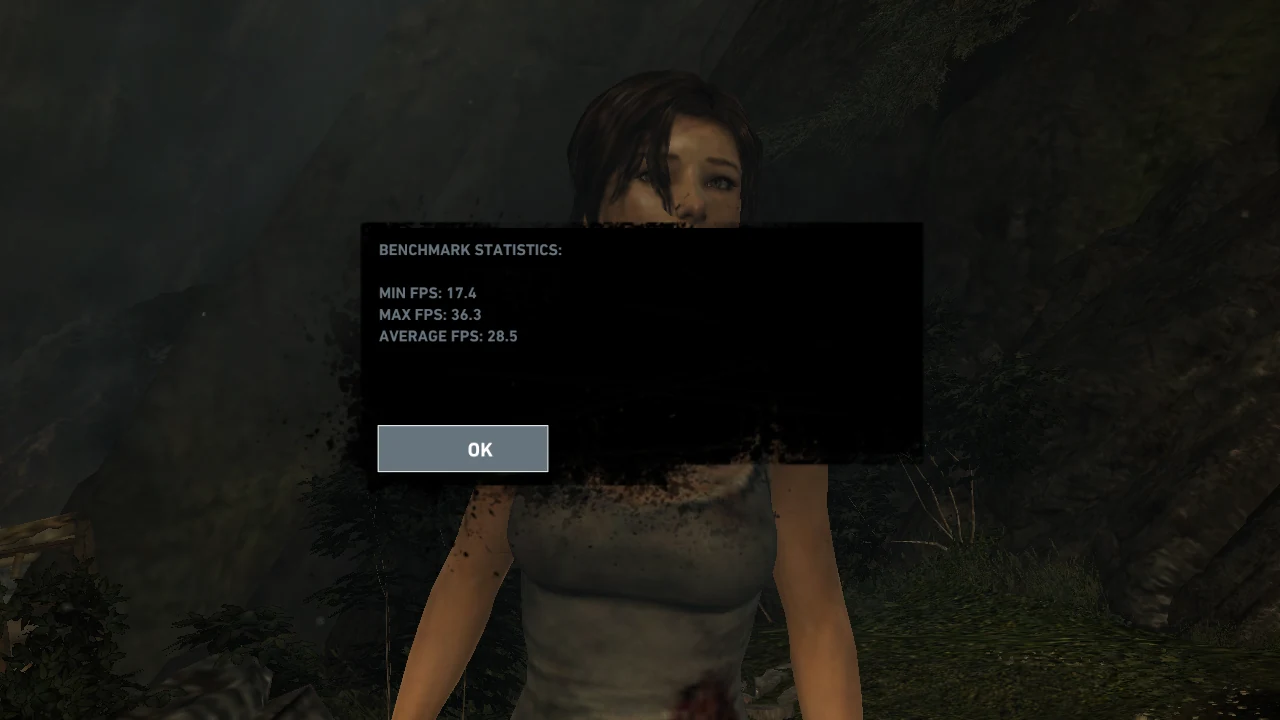
Processor affinity accounted for a 6x slowdown. Same game. Same settings.
This also explains some wonderfully confusing debugging sessions where a game performed well with a tiny Termux window floating over it and collapsed as soon as I made the game properly fullscreen. The little window was not helping graphics. It was keeping the correct UID in the foreground.
Once that was fixed, I could tune the actual workload. The useful production layout gave Steam’s web helpers CPU 0, kept Termux:X11 on CPUs 0-3, allowed the game on CPUs 1-7, and kept one continuously busy networking thread on CPU 1. I tested FEX profiles, thermal starting conditions, display refresh, process affinity, CEF suspension, and several ideas which sounded good at the time but measured worse.
Counterintuitively, changing the X11 surface from 119.92 Hz to 59.97 Hz improved the panel-native Tomb Raider average from 23.400 to 25.167 FPS. Moving the hot game path out of its remaining PRoot boundary later reached about 30.6 FPS with the safer FEX profile. The more aggressive profile was not meaningfully faster, so the boring safe configuration won.
The Bionic Vulkan Bridge Rabbit Hole
The production graphics path was already respectable:
DXVK -> glibc Vulkan loader -> private Mesa Turnip -> Adreno Steam’s Chromium UI did not like GPU compositing through Termux:X11, so the client UI stayed on software rendering while games kept hardware Vulkan. Hacky division of labor, but effective.
Then I started wondering whether a glibc game could use Android’s Bionic Vulkan loader and vendor driver directly. This became bionic-vulkan-bridge, a rabbit hole I lived in for a week.
The simple diagram looked reasonable:
glibc game / DXVK -> Vulkan ICD bridge -> Bionic service -> Android Vulkan loader -> Adreno driver -> Android Activity surface The implementation was anything but simple. Vulkan is a large, chatty, handle-heavy API. Pointers and C structures cannot simply cross a glibc/Bionic process boundary. Android also prevents two arbitrary app UIDs from passing some kinds of sockets and file descriptors directly.
I ended up building typed proxy handles, versioned wire structures, command batching, authenticated loopback control, shared-memory rings, Binder setup callbacks, same-UID SCM_RIGHTS relays, external-memory images, SYNC_FD ordering, a virtual swapchain, an Android fullscreen Activity, persistent image ownership, descriptor journals, and enough generated dispatch to get real DXVK work through the bridge.
It worked, but was slow as hell. The bridge enumerated the real GPU, submitted commands, rendered test triangles, shared images across the Android boundary, produced real Tomb Raider frames, and eventually completed the game’s built-in benchmark. It was also dramatically slower than the ordinary Turnip path. The background-scheduled run averaged 2.2 FPS. Keeping the Termux side in /top-app raised that to 7.0 FPS, proving both that the scheduling issue mattered and that the bridge still had a great deal of synchronization and submission overhead.
That experiment was valuable. It proved what the boundaries actually are. It also proved that turning Vulkan into a remote procedure call is not a shortcut to performance. A call which costs almost nothing inside one process can become disastrous when a game makes thousands of them across a serialization and synchronization boundary.
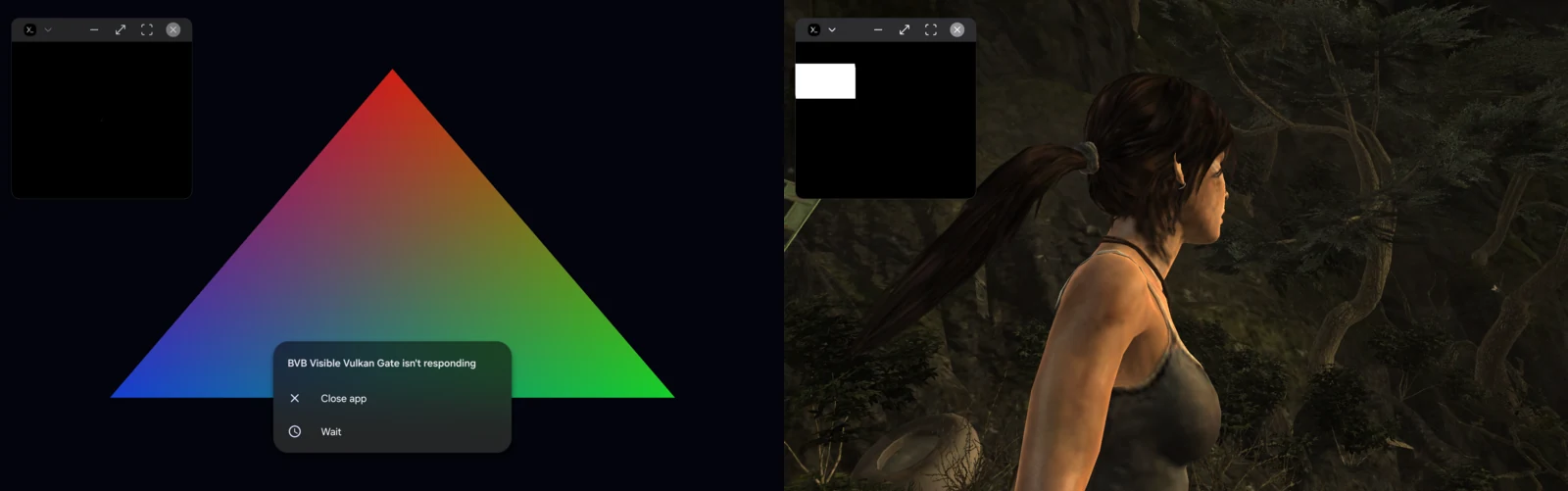
The best optimization was to avoid needing that bridge in the first place.
An SD Card Is Not Just a Slower Directory
Large PC games do not belong on a tablet’s small internal filesystem, so the microSD card became another compatibility project.
Android exposed my exFAT card through FUSE with noexec and no symlink support. flock worked on internal F2FS and returned ENOSYS on the card. Steam interpreted that as a failure to allocate a file reader, a failure to write patch state, or corrupt reusable depot chunks depending on which code path hit it. Proton prefixes also need Linux filesystem behavior which the card cannot provide.
The answer was a split Steam library:
internal F2FS library metadata and appmanifests compatdata / Proton prefixes active download state runtimes, Proton, FEX, and native executables microSD steamapps/common game payloads large per-game staging trees The launcher assembles those into one Steam-visible directory with exact symlinks for the native client and ordered nested binds at the PRoot game boundary. Small, lock-sensitive, executable, and metadata-heavy files stay internal. Large Windows game payloads live on the card.
That arrangement made Kingsway survive a restart and run directly from microSD. GTA IV exposed the next problem: committing almost 24 GB across filesystems one translated metadata operation at a time was painfully slow. The staging tool therefore copied and hash-verified the tree onto the card first, exposed that same-device staging directory at Steam’s expected download path, and completed the final commit with native same-filesystem renames.
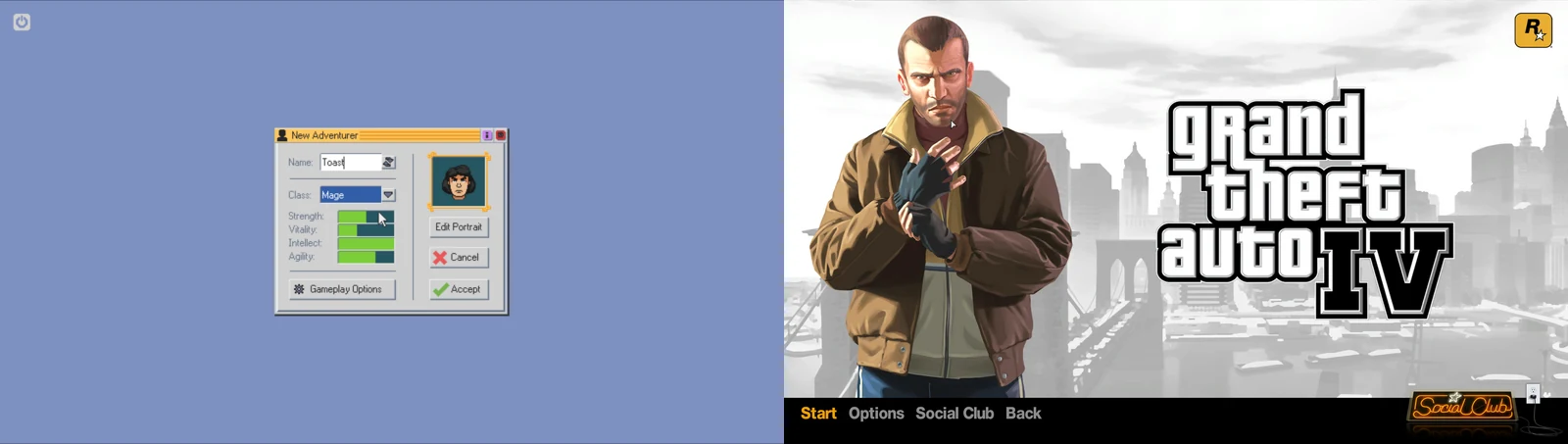
It works. It is also a lot of machinery to preserve the illusion that Steam is talking to a normal Linux filesystem.
Then I Read the GameNative Source
I had previously grouped GameNative with the other convenient Android PC-game launchers and kept it at arm’s length because I did not want to hand my Steam credentials to a black box. Then I found out that GameNative is GPL-3.0 open source.
Reading the source was one lightbulb moment after another. GameNative had already solved, or more often architecturally avoided, several of our hardest problems.
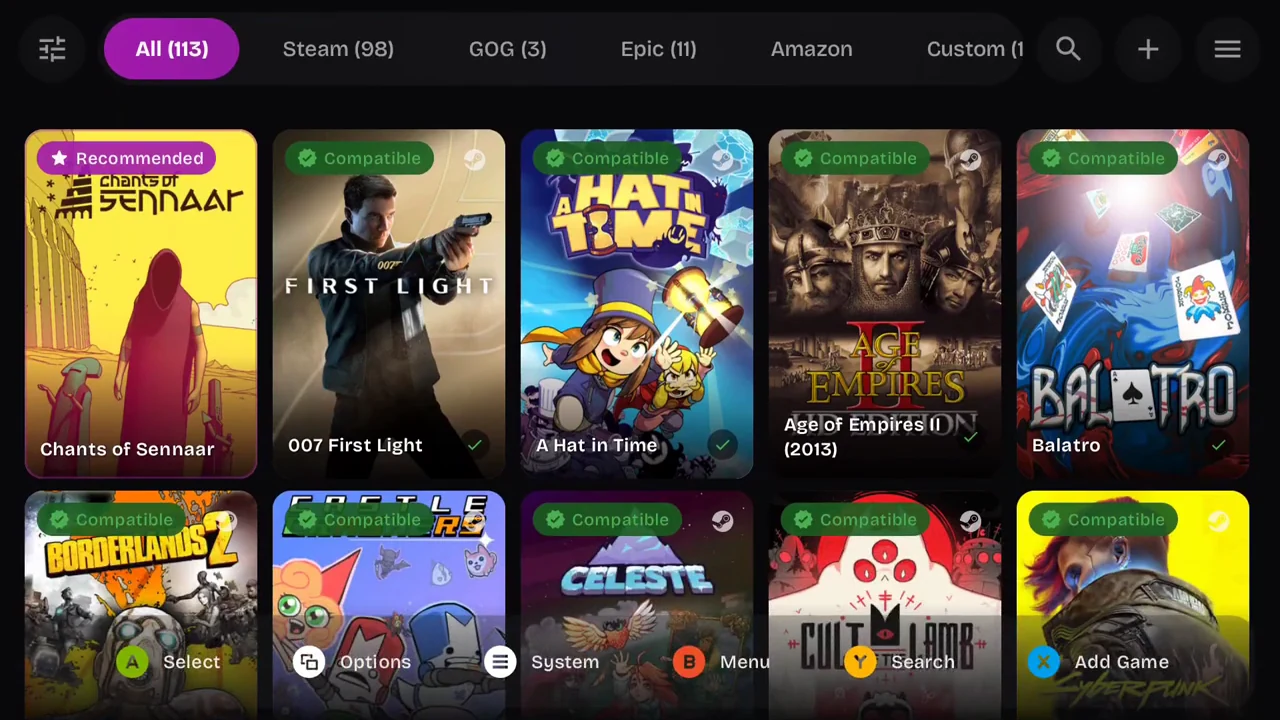
Its Bionic program launcher runs Wine, FEX or Box64, input shims, Android shared-memory support, graphics setup, networking, and the Steam bridge inside an Android-native environment. Its X server, renderer, surface, input system, and visible Activity belong to the application rather than being spread across a conventional glibc distro and a separate display APK. There is no reason to remote every Vulkan call across the bridge I had just spent days building.
GameNative also does not need to preserve the entire conventional Linux Steam desktop client architecture. It has its own Steam service and depot downloader, then provides the Steamworks pieces a launched game needs. Its experimental Bionic Steam path wires the matching lsteamclient pieces to a native Android libsteamclient.so and takes care of the per-Proton-version assets and application identity.
The storage policy is familiar too. Game installs can live on external volumes while containers and sensitive state remain internal. The current storage code even moves new external installs from Android/data to a public GameNative directory because Android disables useful FUSE caching under the app-specific tree, making metadata operations catastrophically slow. There is a real storage manager for moving individual games instead of a pile of hand-assembled Steam library binds.
This does not mean GameNative is perfect. Its own roadmap still lists external launcher reliability, Steam Input, external storage, device compatibility, performance, and thermals as active work. Windows gaming on Android remains a pile of compatibility projects no matter how nice the interface is.
But it is the right architecture for most people. It starts as an Android application and brings in the PC-game compatibility pieces it needs. My Termux project starts with conventional Linux Steam and spends its time repairing every place where that assumption collides with Android.
My Recommendation
If you want to learn how far unrooted Android can be pushed, need a conventional authenticated ARM64 Linux Steam client, or enjoy turning syscall traces into weekend plans, the Steam ARM64 on Termux/X11 project is real and repeatable. I am glad I built it. The glibc compatibility layer is useful beyond Steam, and the Vulkan bridge taught me more about Android graphics and process boundaries than any sane project would have.
If you want to play your PC games on Android, use GameNative.
That is not an admission that Steam on Android failed. It is the opposite. Steam on Android is workable. With the right storage layout, scheduling, native glibc host, and graphics path, it is performant. The amount of work required to keep all of those layers aligned is exactly what makes it brittle.
GameNative packages together solutions for so many problems you don’t realize you’re facing. For almost everyone, that is the solution I recommend.